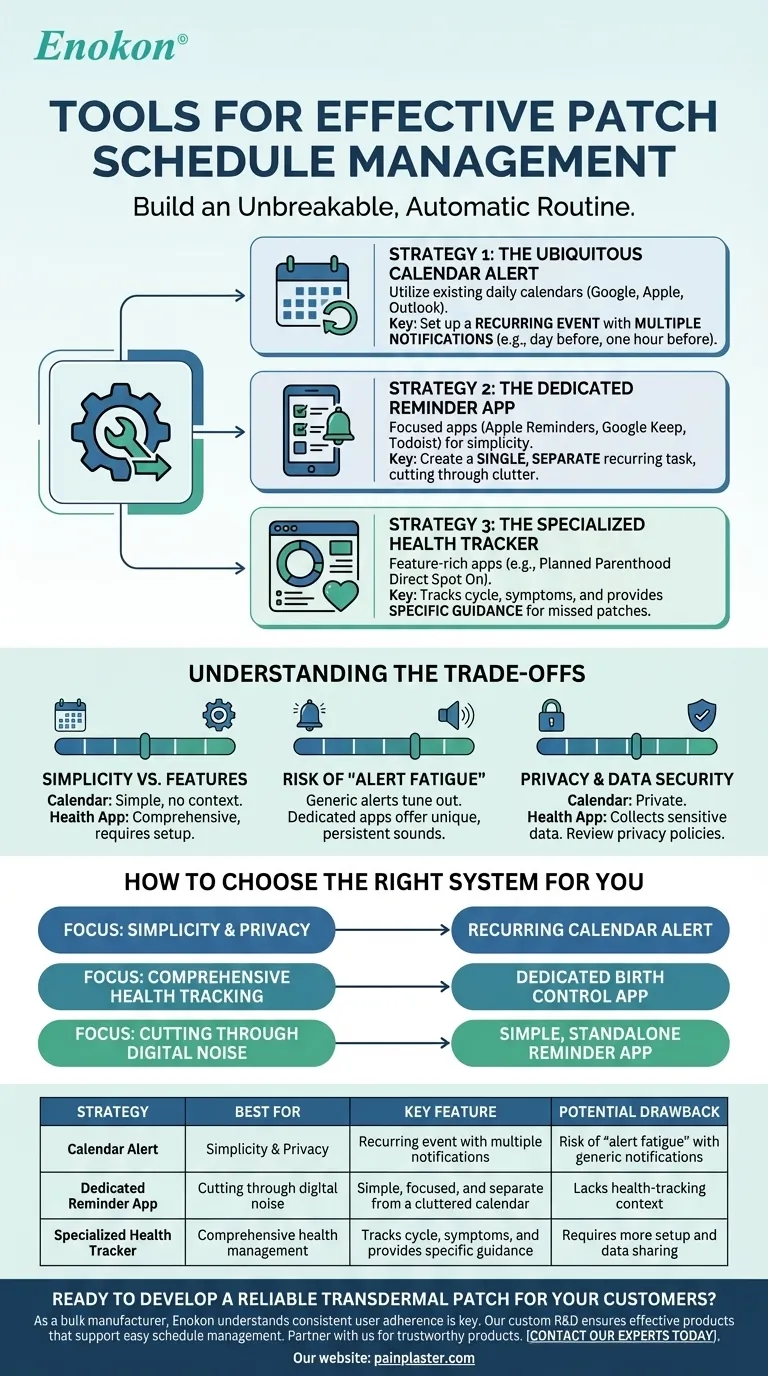
The most effective tools for managing a patch schedule are often the ones already integrated into your daily life: native reminder apps, digital calendar alerts, and specialized birth control tracking applications. These tools transform a manual, memory-based task into an automated, reliable system, ensuring you never miss a change day.
The goal is not just to find an app, but to build an unbreakable routine. The best tool is the one that integrates seamlessly into your life, eliminates the mental burden of remembering, and makes your patch schedule consistently automatic.
The Core Strategies for Patch Management
Choosing a tool is less about features and more about which method best suits your personal workflow. We can break down the most effective approaches into three main categories.
Strategy 1: The Ubiquitous Calendar Alert
This is the most straightforward and universal method. By using the calendar you already check daily (like Google Calendar, Apple Calendar, or Outlook), you place your patch reminder directly into your existing schedule.
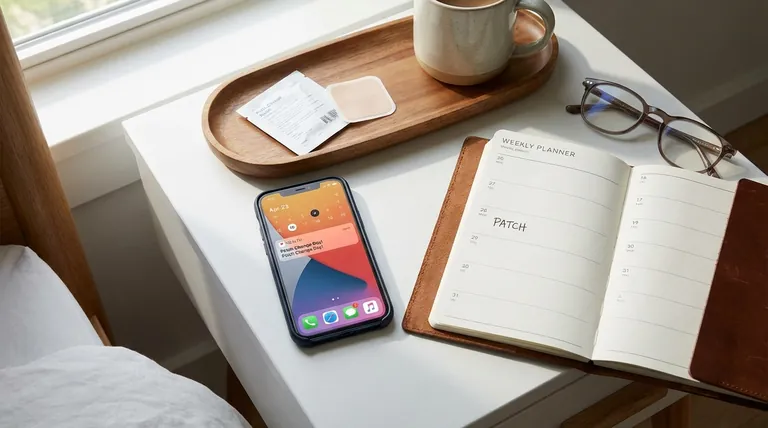
The key is to set up a recurring event. For example, create an event called "Change Patch" that repeats every 7 days. Most importantly, set up multiple notifications—such as one the day before and another one hour before—to ensure the reminder cuts through the noise of your day.
Strategy 2: The Dedicated Reminder App
If your calendar is already cluttered, a dedicated reminder app (like Apple Reminders, Google Keep, or Todoist) can provide a more focused alert. These apps are designed for one purpose: reminding you to do things.
The primary advantage here is simplicity. You create a single, recurring task that is separate from your work meetings or social events. This separation can give the patch reminder more prominence and make it less likely to be ignored among other calendar notifications.
Strategy 3: The Specialized Health Tracker
For those who want more context, a specific birth control tracking app (such as the Planned Parenthood Direct Spot On app) is the most feature-rich option. These apps are designed with this exact purpose in mind.
Beyond simple reminders, they often include features for tracking your cycle, logging symptoms, and providing specific guidance on what to do if you happen to forget or are late changing your patch. This can be invaluable for managing your health more holistically.
Understanding the Trade-offs
Each strategy comes with its own set of benefits and potential drawbacks. Being aware of them allows you to choose the system that will truly work for you long-term.
Simplicity vs. Comprehensive Features
A basic calendar alert is incredibly simple to set up and requires no new apps or habits. However, it provides no health context. A specialized app offers a wealth of tracking features but may require more initial setup and ongoing engagement.
The Risk of "Alert Fatigue"
We are constantly bombarded with notifications. If your patch reminder uses the same generic alert sound as your emails and text messages, it's easy to tune out. A key drawback of using a standard calendar is that the alert might not stand out. Some dedicated apps allow for a persistent or unique alarm sound to solve this.
Privacy and Data Security
Using a generic calendar or reminder app for a task like "Change Patch" is relatively private. In contrast, specialized health apps collect a significant amount of sensitive personal data. It is crucial to review the privacy policy of any health-tracking app before committing to it.
How to Choose the Right System for You
Your choice should be based on your personal habits, privacy concerns, and how much health data you want to manage.
- If your primary focus is simplicity and privacy: A recurring alert in your phone's default calendar is the most straightforward and secure solution.
- If your primary focus is comprehensive health tracking: A dedicated birth control app provides the most robust features for managing your cycle alongside your patch schedule.
- If your primary focus is cutting through digital noise: Use a simple, standalone reminder app and assign it a unique, persistent alert tone you won't ignore.
Ultimately, the best system is the one you can set once and trust completely to do its job.
Summary Table:
| Strategy | Best For | Key Feature | Potential Drawback |
|---|---|---|---|
| Calendar Alert | Simplicity & Privacy | Recurring event with multiple notifications | Risk of "alert fatigue" with generic notifications |
| Dedicated Reminder App | Cutting through digital noise | Simple, focused, and separate from a cluttered calendar | Lacks health-tracking context |
| Specialized Health Tracker | Comprehensive health management | Tracks cycle, symptoms, and provides specific guidance | Requires more setup and data sharing |
Ready to Develop a Reliable Transdermal Patch for Your Customers?
As a bulk manufacturer of reliable transdermal patches and pain plasters, Enokon understands that consistent user adherence is key to a product's success. Our technical expertise in custom R&D and development ensures your patch is not only effective but also supports the easy-to-manage schedules discussed in this article.
Partner with us to create a product that healthcare distributors, brands, and end-users can trust. Let's discuss your project.
Contact our experts today to get started.
Visual Guide